
Nylas Mail herunterladen – Kostenloser, sicherer, plattformübergreifender E‑Mail‑Client
Übersicht
Nylas Mail ist ein moderner, quelloffener E‑Mail‑Client, der Power‑Usern und Business‑Professionals eine saubere, anpassbare Alternative zu den nativen Mail‑Apps bietet, die mit Windows, macOS, Linux, Android und iOS ausgeliefert werden. Auf Basis von Web‑Technologien entwickelt, läuft Nylas Mail auf jeder Plattform, die HTML, CSS und JavaScript rendern kann, und ist damit eine echte plattformübergreifende Lösung. Die Anwendung ist in ihrer Basic‑Edition kostenlos zum Download und zur Nutzung verfügbar, während ein kostenpflichtiger Pro‑Tier erweiterte Produktivitäts‑Plugins wie Thread Sharing, Send Later und eine tiefe Salesforce‑Integration hinzufügt.
Nylas Mails minimalistisches Interface hält den Fokus auf den Nachrichteninhalt, bietet jedoch überraschend viel Flexibilität: ein einheitlicher Posteingang für alle Konten, angereicherte Kontaktprofile, ein „Undo Send“-Entwurfs‑Wiederherstellungs‑Feature und ein robustes Plugin‑Ökosystem, das Entwicklern erlaubt, den Client mit JavaScript zu erweitern. Da die Software Open‑Source ist, können Sie den Code auf Sicherheit prüfen, Verbesserungen beisteuern oder ihn an das Branding Ihrer Organisation anpassen. Ob Sie mehrere persönliche Gmail‑Konten, Unternehmens‑Microsoft‑Exchange‑Server oder spezialisierte IMAP/SMTP‑Provider verwalten – Nylas Mail konsolidiert sie zu einem einheitlichen Arbeitsbereich und hilft Ihnen, organisiert zu bleiben, ohne Geschwindigkeit oder Datenschutz zu opfern.
Hauptfunktionen
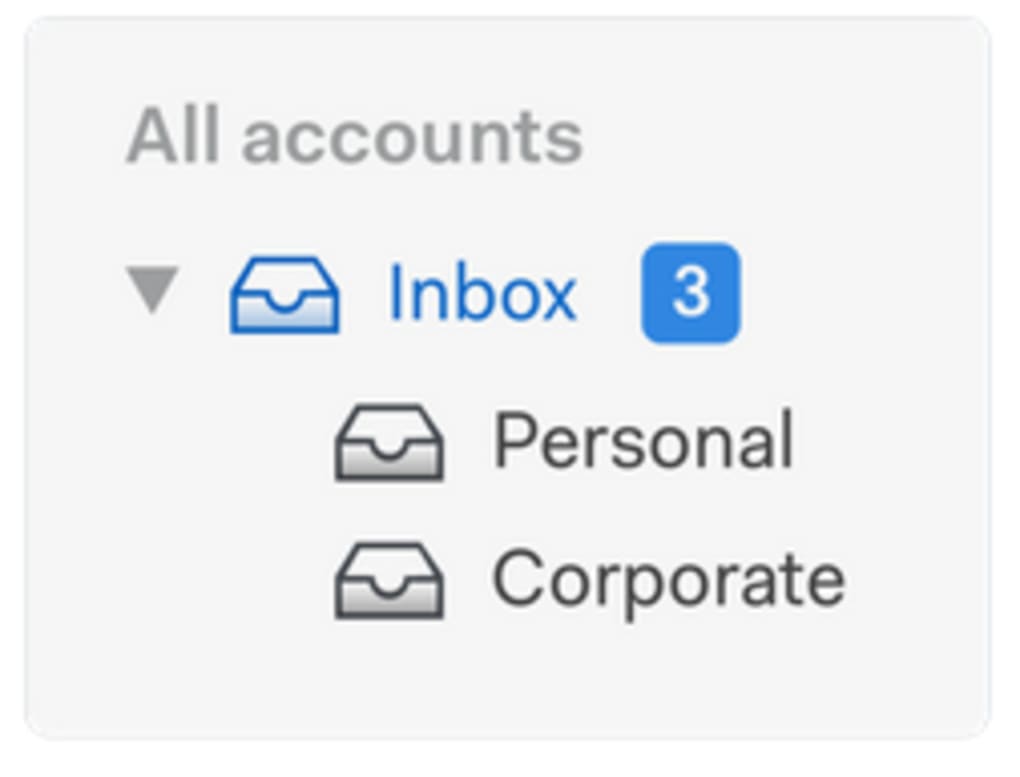
- Unified Inbox: Merge Gmail, Outlook, iCloud, Yahoo!, Exchange, and any IMAP/SMTP account into a single view, eliminating the need to switch between multiple clients.
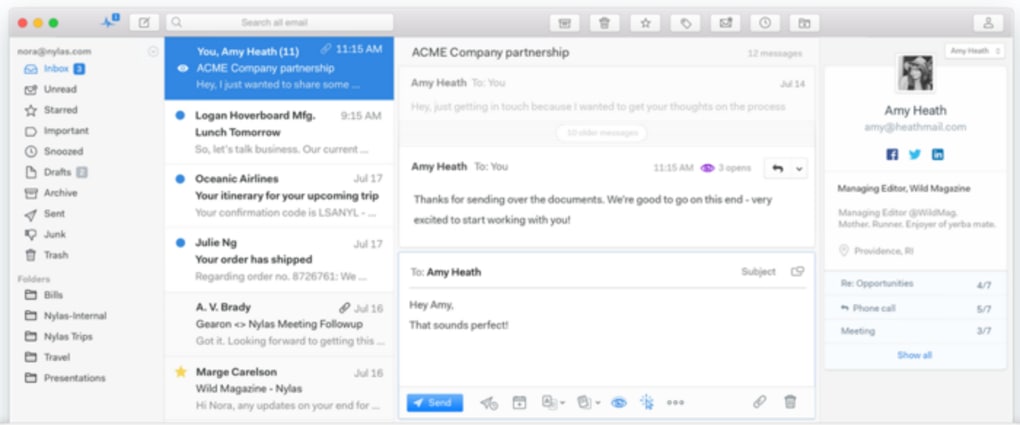
- Enriched Contact Profiles: Each contact can store a bio, location, social‑media links, and custom fields, giving you richer context when composing or replying to messages.
- Undo Send & Draft Recovery: The built‑in “Undo” button saves outgoing messages to Drafts, allowing you to recall or edit them before they leave your outbox.
- Thread Sharing (Pro): Share entire email conversations with teammates in real time, keeping everyone on the same page without forwarding individual messages.
- Send Later (Pro): Schedule emails to be delivered at optimal times, perfect for global teams or timed marketing campaigns.
- Salesforce Plugin (Pro): Automatically enrich inbound/outbound emails with Salesforce records, including company address, website, and key contact details.
- Plugin Architecture: Extend functionality with JavaScript plugins; the community provides add‑ons for encryption, calendar sync, and task management.
- Cross‑Platform Support: Runs on Windows 10/11, macOS 10.14+, Linux distributions, and mobile browsers via progressive web‑app techniques.
- Open‑Source Core: Free to audit, modify, and redistribute under the MIT license, ensuring transparency and security.
- Secure OAuth Integration: Native support for OAuth 2.0 login flows with major providers, keeping credentials out of local storage.
Installation, Nutzung & Kompatibilität
Downloading the client is straightforward. Visit the official Nylas GitHub releases page, choose the installer matching your operating system, and click the Download button. For Windows users, an .exe installer is provided; macOS users receive a signed .dmg package, and Linux enthusiasts can grab the .AppImage or install via Snap/Flatpak. The installation wizard walks you through standard steps: accept the license, choose an installation folder, and optionally create a desktop shortcut.
First‑time setup begins with the welcome screen, where you can add your email accounts. Nylas Mail supports OAuth authentication for Gmail, Outlook.com, and iCloud, while generic IMAP/SMTP accounts require manual server details. The client automatically detects common server settings, but you can override them if needed. After signing in, the application syncs your mailbox in the background, indexing messages for fast search.
Using the interface is intuitive. The left sidebar shows your unified inbox, folders, and any installed plugins. Clicking a conversation opens a split‑view where the original message appears on the left and your reply composer on the right. The composer supports rich text formatting, markdown, and keyboard shortcuts (Ctrl + Enter to send, Ctrl + Z to undo). The “Undo Send” button appears for a configurable 10‑second window after you hit send, moving the email to Drafts for further editing.
Kompatibilität covers the major desktop platforms:
- Windows 10/11 (64‑bit)
- macOS 10.14 Mojave and later
- Ubuntu, Fedora, Debian (via AppImage, Snap or native package)
- Android & iOS (accessed through a responsive web version or progressive web‑app)
Because Nylas Mail is built with Electron (a Chromium‑based framework), it inherits automatic updates. The client checks for new releases daily and prompts you to install them without losing your configuration. This ensures you always have the latest security patches and feature enhancements.
Pros, Cons, FAQ & Conclusion
Pros
- Free Basic version with robust core functionality.
- Unified inbox saves time and reduces desktop clutter.
- Rich contact profiles give context for business communication.
- Open‑source code enhances security transparency.
- Extensible plugin system allows custom workflows.
- Cross‑platform support ensures a consistent experience on any device.
Cons
- Advanced features (Thread Sharing, Send Later, Salesforce) are locked behind a paid Pro subscription.
- Electron‑based apps can consume more RAM than native clients.
- Occasional sync lag with very large mailboxes; incremental indexing helps but may need manual refresh.
- Mobile experience relies on a web view rather than native iOS/Android apps.
Frequently Asked Questions
Is Nylas Mail really free?
Yes, the Basic edition is completely free and includes unlimited accounts, unified inbox, enriched contacts, and the Undo Send feature. Pro features require a monthly subscription.
Can I use Nylas Mail with my corporate Exchange server?
Absolutely. Nylas Mail supports Microsoft Exchange via standard Exchange Web Services (EWS) or IMAP/SMTP configurations, making it suitable for most corporate environments.
How secure is the “Undo Send” feature?
Undo Send never transmits the email until you confirm sending. The message is stored locally in the Drafts folder, encrypted on disk, and cleared automatically after the undo window expires.
Do I need to be a developer to install plugins?
No. Nylas Mail includes a plugin marketplace where you can enable ready‑made extensions with a single click. Advanced users can write custom JavaScript plugins for deeper integration.
What’s the difference between Basic and Pro?
Pro adds premium tools such as Thread Sharing, Send Later, Salesforce enrichment, priority support, and access to the full plugin library. Pricing starts at $9.99 per user per month.
Conclusion & Call to Action
Overall, Nylas Mail stands out as a powerful, free email client that balances a minimalist design with enterprise‑grade features. Its open‑source foundation provides peace of mind for security‑focused users, while the optional Pro tier unlocks workflow‑enhancing tools that rival paid competitors like Airmail and Postbox. If you’re looking for a cross‑platform solution that consolidates all your accounts, enriches contacts, and offers a thriving plugin ecosystem, Nylas Mail is a compelling choice. Download Nylas Mail today to experience a streamlined inbox, or upgrade to Pro for advanced collaboration capabilities.







